
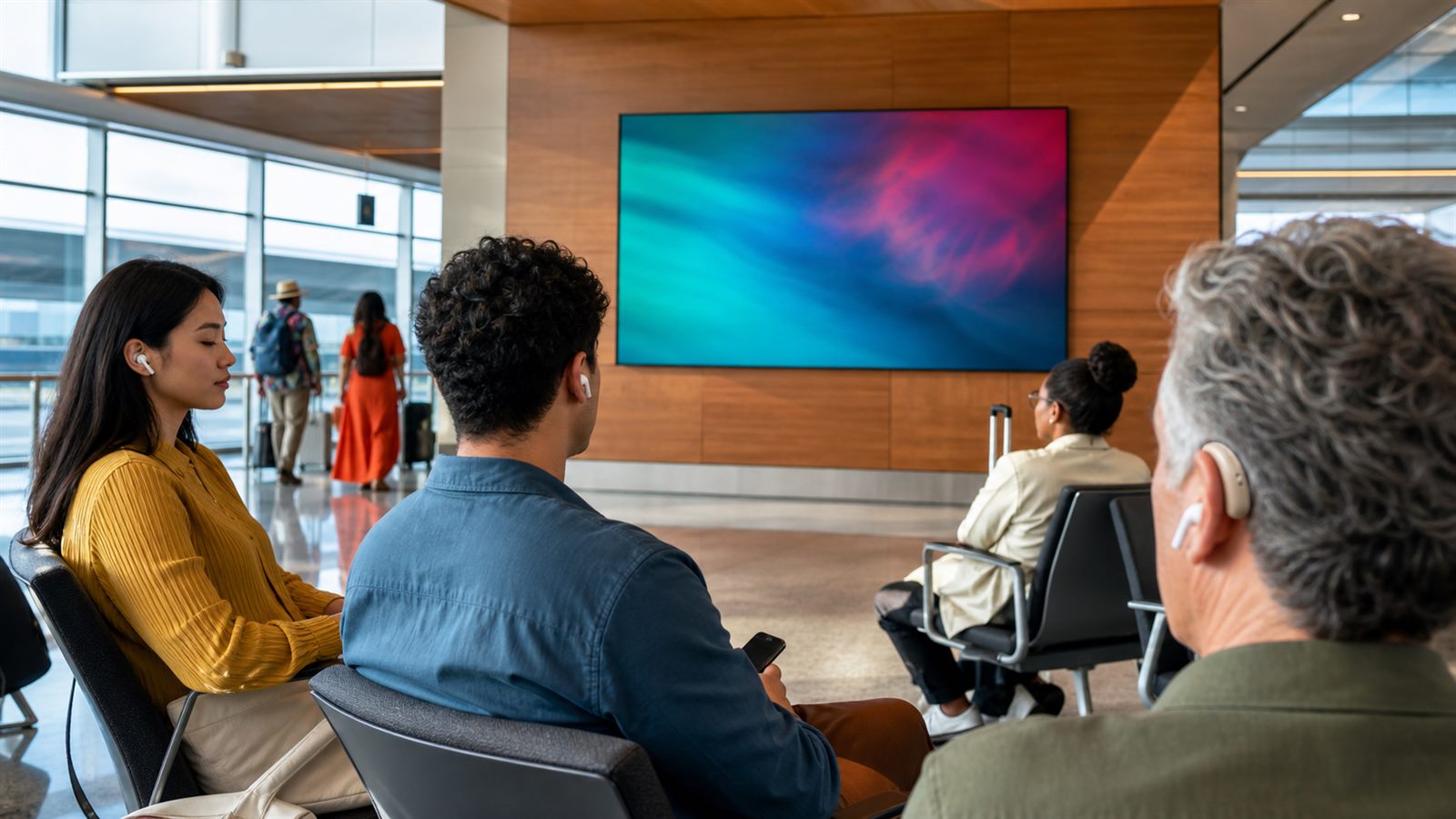
Bluetooth has usually meant a private connection between two devices: a phone and headphones, a laptop and a speaker, or a television and a hearing aid. Auracast broadcast audio adds a different model. One transmitter can make an audio stream available to many nearby compatible receivers, more like tuning into a local radio channel than pairing every listener individually.
That change could make wireless audio part of public infrastructure. Airports, gyms, museums, conference centers, classrooms, houses of worship, and transit hubs can offer sound from silent screens, public announcements, tours, or language channels. The important question is no longer only whether the earbuds sound good. The venue, transmitter, discovery method, receiver compatibility, and accessibility plan all have to work together.
Auracast Builds on Bluetooth LE Audio
Auracast is the public-facing name for Bluetooth broadcast audio, a capability in the Bluetooth LE Audio architecture. Instead of creating a separate point-to-point connection for every listener, a broadcast source transmits one or more audio streams that compatible devices can receive.
The Bluetooth Special Interest Group describes three roles. A transmitter provides the broadcast. A receiver plays it through headphones, earbuds, speakers, or hearing devices. An assistant, often a phone or another controller, helps the listener discover and select a broadcast. A product can support more than one role, but an Auracast label on one device does not guarantee that every device around it supports every function.
This is a meaningful extension of the device ecosystem discussed in our overview of consumer electronics after the smartphone. The phone can become a discovery and control surface while the audio goes directly from the venue transmitter to the listening device.
One Broadcast Can Serve Many Listeners
A venue that wants to deliver sound to a crowd normally uses loudspeakers, a dedicated assistive-listening system, or individual internet streams. Each approach has tradeoffs. Loudspeakers disturb everyone and can be difficult to understand in noisy or reverberant rooms. Dedicated receivers require distribution and maintenance. Internet streaming adds network dependency and can introduce delay.
Auracast can transmit locally to many receivers without pairing each person to the source. The broadcast can be open for easy access or protected when a venue needs controlled entry. A transmitter may also offer several streams, such as different languages or audio descriptions, if the installation and receivers support them.
That does not mean capacity is literally unlimited in every environment. Coverage, radio interference, receiver behavior, stream configuration, and audio quality still shape the experience. The advantage is architectural: adding another listener does not require another private Bluetooth session with the transmitter.
Silent Screens Become a Practical Use Case
Public televisions in gyms, waiting rooms, airports, and restaurants often run without audible sound. A local broadcast can let visitors listen through their own compatible device. The venue avoids filling the room with several competing soundtracks, and the listener chooses what to hear.
The same model can support guided tours. A museum can provide a live guide or a prerecorded channel without issuing a receiver to every visitor. A conference can offer interpretation streams. An airport gate can provide a clearer version of announcements to people who have difficulty hearing a distant loudspeaker.
These uses depend on simple discovery. Visitors will not join a broadcast they cannot find. Bluetooth SIG material describes assistants, public lists, and QR-based approaches as ways to select a source. Venues still need visible, accessible instructions, staff training, and a fallback for people whose devices are incompatible or out of power.
Accessibility Is a Major Opportunity, Not an Automatic Result
Broadcast audio can send sound directly to compatible hearing devices and headphones, reducing the distance and room acoustics between the source and listener. That can make speech easier to follow and may give people more control over volume and listening equipment.
However, installing a transmitter does not by itself create an accessible service. A venue must consider receiver availability, compatibility, signage, discovery, staff support, maintenance, and local legal requirements. It may need loaner devices or another assistive-listening option during the transition. People should not be required to own a new phone or hearing aid to receive essential information.
Health-related wearables already show why device claims need careful interpretation. Our guide to wearables and health data explains the gap between a useful capability and a complete healthcare or accessibility solution.
Receiver Compatibility Is the Near-Term Friction
Bluetooth marketing names can be confusing. A device may support Bluetooth Low Energy without supporting LE Audio, and it may support some LE Audio features without providing the Auracast experience a buyer expects. Compatibility can also depend on software, firmware, regional variants, and whether a phone exposes broadcast discovery.
Before buying equipment for a specific use, consumers should look for explicit transmitter, receiver, or assistant support rather than relying on a generic Bluetooth version number. Venues should test a representative range of hearing devices, earbuds, phones, and loaner receivers. A demonstration with one matching product family is not an interoperability program.
The transition resembles repairability labels in one respect: a clear consumer signal is useful only when it maps to measurable product behavior. The EU smartphone label rules show how much detail can sit behind a simple badge.
Audio Quality, Range, and Delay Depend on Deployment
LE Audio uses the LC3 codec, which was designed for efficient audio delivery at a range of bitrates. The final experience still depends on how a broadcaster configures the stream, the available radio environment, the receiver, and the content. A speech announcement and a music performance may need different choices.
Coverage planning matters in large or irregular venues. Walls, people, competing radio traffic, and transmitter placement can create weak areas. A site may need more than one transmitter or carefully planned zones. Too much overlapping coverage can also complicate discovery and interference management.
Delay must be checked end to end when listeners can also see a person speaking or watch a screen. The radio link is only one part of latency; capture, mixing, encoding, display processing, and receiver buffering add time. A venue should test lip synchronization and handoffs under realistic load.
Privacy and Security Depend on the Broadcast Type
An open public broadcast is meant to be found by nearby listeners, so it should not carry confidential information. Protected broadcasts can restrict access, but the venue must manage credentials and explain how authorized users join. Sensitive meetings may require controls beyond a convenient access code.
Discovery systems also need careful design. A malicious or misleading source name could confuse users, and a QR code placed over legitimate signage could direct people to the wrong workflow. Devices should show enough source context for an informed choice, while venues should monitor their physical signs and transmitters.
Auracast Will Complement Other Audio Systems
Broadcast audio will not make conventional Bluetooth, loudspeakers, induction loops, or dedicated assistive systems disappear. Private links remain useful for calls and personal media. Loudspeakers remain essential for emergencies and visitors without receivers. Existing accessibility systems may serve users for years.
The realistic path is a mixed environment. New displays, televisions, public-address systems, phones, hearing devices, and earbuds gradually add support. Venues can deploy for a defined use, measure discovery and reliability, provide a fallback, and expand after the workflow is proven.
What Consumers and Venues Should Check
- Confirm the exact Auracast role supported by every device.
- Test discovery without relying on a technician’s hidden menu.
- Measure coverage, interference, audio delay, and battery impact in the real venue.
- Provide accessible instructions and compatible loaner receivers where needed.
- Keep essential and emergency information available through another channel.
- Plan firmware updates and support for transmitters as part of building operations.
What to Watch Next
Watch for broader receiver support across mainstream phones, earbuds, televisions, and hearing devices; clearer product labeling; and public installations that document interoperability rather than showing a single vendor demo. Also watch how venue operators integrate broadcast audio with existing assistive-listening and emergency systems.
Auracast’s most important effect may be cultural. Bluetooth audio can become something a place provides, not only something two personal devices negotiate. Success will depend less on the novelty of the radio feature and more on whether an ordinary visitor can enter a room, find the right sound, and hear it without asking an engineer.
Leave a Reply