
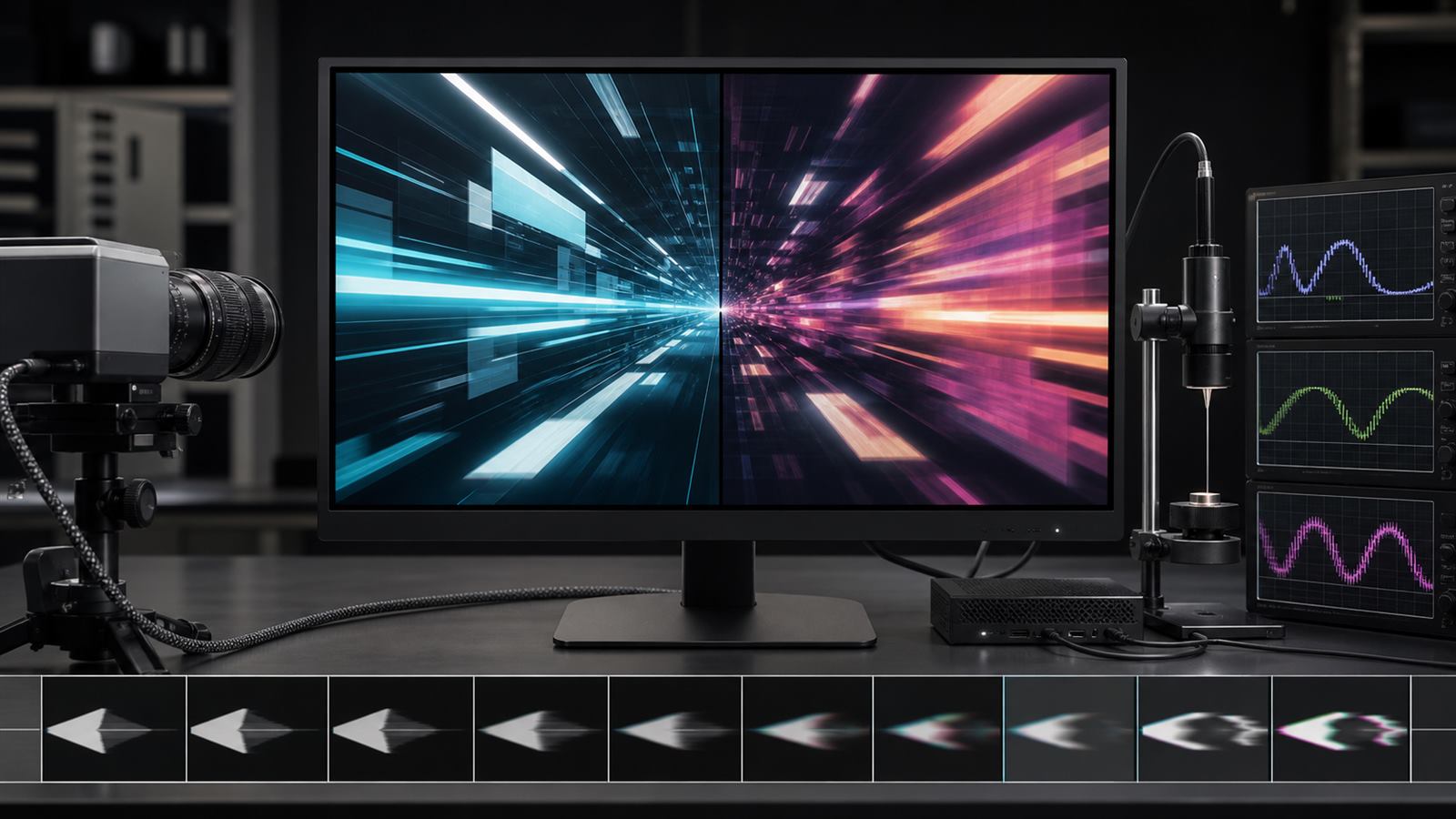
A monitor advertised at 240 or 360 hertz can refresh very quickly, but a game does not necessarily produce a new frame at that exact rhythm. Complex scenes take longer to render than simple ones, background tasks interrupt the processor, and frame times can change from one moment to the next.
Variable refresh rate, or VRR, lets the display wait for a frame instead of refreshing on a rigid schedule. The result can reduce tearing and judder, but the maximum refresh number is only one boundary of the system. Smooth performance also depends on the usable VRR range, low-frame-rate handling, flicker, pixel response, overshoot, transport, and total latency.
Fixed refresh creates a timing mismatch
A fixed-refresh display scans a new image at regular intervals. If the graphics processor replaces a frame while the display is scanning, the screen can show portions of two frames at once, producing a horizontal tear. Traditional vertical synchronization avoids that by waiting for the next refresh, but the wait can add latency or repeat a frame when rendering misses the deadline.
VRR changes the display interval to follow the source within a supported range. A frame can be scanned soon after it is ready, reducing the need to choose between tearing and a rigid synchronization delay. The display and source still need buffers, scanout logic, panel driving, and image processing, so VRR does not make the pipeline instantaneous.
The operating range matters as much as the ceiling
A display might advertise a high maximum rate while supporting variable operation only above a much higher minimum. When rendering falls below that minimum, the source or display must repeat frames so the physical refresh remains inside the supported range. This is often called low-frame-rate compensation.
The public VESA Adaptive-Sync Display Compliance Test Specification tests common video rates and describes integer frame multiplication when content falls below a panel’s adaptive range. For example, a 24-frame-per-second source can be doubled or tripled to fit a higher minimum. Repetition preserves the presentation cadence; it does not create new motion information.
A wide range, such as 48 to 240 hertz, generally gives the system more room than a narrow range near the top. Buyers should verify the range at the intended resolution, bit depth, input, and display mode because not every combination exposes the same limits.
Maximum refresh rate is not end-to-end latency
At 240 hertz, one refresh interval is about 4.2 milliseconds; at 120 hertz it is about 8.3 milliseconds. Those intervals describe scan opportunities, not the entire delay between an input and visible pixels.
Input sampling, game simulation, CPU scheduling, graphics rendering, queueing, interface transport, display processing, panel scanout, and pixel transition all contribute. A higher refresh rate can reduce parts of that chain and provide more frequent visual updates, but a long render queue or slow display mode can erase much of the benefit.
HDMI treats related functions separately. The current HDMI 2.2 technology overview lists VRR for variable frame delivery, Auto Low Latency Mode for selecting a low-latency display mode, and Quick Frame Transport for reducing transport time. Their separate names reflect separate jobs.
Pixel response must keep up with the scan
A display can accept a new frame before its pixels have finished changing from the previous one. Slow gray-to-gray transitions leave trails or blur behind moving objects. The response also varies by starting and ending shade, so one best-case transition does not characterize the panel.
Manufacturers use overdrive to push a pixel harder and reach the target sooner. Too much overdrive overshoots or undershoots the target luminance, creating bright or dark inverse trails. Settings tuned for the highest refresh rate may behave differently when VRR lowers the rate and gives each transition more time.
VESA’s Adaptive-Sync Display 1.1 update expanded gray-to-gray testing and tightened how overshoot and undershoot are evaluated. That is more informative than a single response-time number measured under an undisclosed overdrive mode.
Variable timing can reveal flicker
A panel’s brightness response can change with refresh interval. When frame time varies sharply, differences in drive voltage, compensation, or pixel behavior may appear as flicker, especially in dark scenes. The problem can be intermittent because it depends on the sequence of frame times, not just the average rate.
The VESA test procedure therefore includes static rates plus dynamic zigzag, abrupt, sine-wave, and random changes across the supported range. A display that is stable at 60 and 144 hertz separately can still show a luminance change while moving between them.
Flicker severity also depends on brightness setting, content level, panel technology, and firmware. A review should state the tested conditions rather than claiming a panel type is universally immune or universally affected.
Frame pacing starts before the display
VRR can present uneven frames without tearing, but it cannot make uneven computation smooth. If a game alternates between very short and very long render times, the motion can still feel inconsistent. Average frames per second hides those spikes.
Useful performance reporting includes frame-time distributions, low-percentile frame rates, and traces that reveal compilation, asset streaming, or CPU stalls. A display can faithfully show every irregular delivery interval while the underlying software remains the problem.
This is similar to evaluating on-device AI beyond a peak throughput number: sustained behavior and the complete workload matter more than an isolated ceiling.
The source, interface, cable, and display must agree
VRR is an interaction between a graphics source and a display over a supported interface. The operating system, driver, game mode, port, cable, resolution, color format, and firmware can all affect whether it activates. A monitor may support adaptive operation over one input but expose a different range over another.
An interface version is not a complete product feature list. Buyers should check the specific VRR mode and certified combinations rather than infer support from a connector shape or a large version number. Our USB-C capability guide explains the same principle for cables that look identical while carrying different data, power, and video modes.
For televisions, image processing can also change between ordinary and game modes. Local dimming, motion interpolation, noise reduction, chroma format, and high dynamic range may interact with latency or visible quality. The lowest-latency mode is not automatically the best-looking mode for every use.
Certification tests behavior, not every room and game
VESA introduced its open Adaptive-Sync Display certification program with more than 50 test criteria covering refresh range, flicker, gray-to-gray response, overshoot, undershoot, frame drops, and jitter. The official program description distinguishes a gaming-focused AdaptiveSync tier from a MediaSync tier aimed at jitter-free media playback.
Certification gives consumers a common laboratory baseline, but it cannot test every graphics card, firmware revision, brightness setting, game engine, or ambient temperature. Independent measurements remain useful when they disclose equipment, modes, firmware, and test sequence.
How to evaluate a VRR display
Start with native resolution, maximum refresh, minimum VRR rate, and whether low-frame-rate compensation works across the intended input. Check measured input-to-light latency, gray-to-gray transitions across many shade pairs, overshoot, inverse ghosting, frame drops, and flicker during changing frame times.
Test several refresh regions instead of only the maximum. Verify high dynamic range, local dimming, color depth, and low-latency mode in combination with VRR. For laptops, also ask whether adaptive refresh reduces power in ordinary desktop use or whether the high-rate mode significantly changes battery life.
What to watch next
New display interfaces will support more bandwidth, but the meaningful improvements will come from wider stable ranges, better variable overdrive, lower scanout and processing delay, consistent HDR behavior, and clearer certification data. Panel controllers that adapt without brightness pumping or inverse ghosting will matter more than another isolated refresh-rate record.
VRR is valuable because it coordinates two changing systems. The best display is not simply the one that refreshes fastest; it is the one that remains smooth, responsive, and visually stable across the frame rates real software actually delivers.
Leave a Reply