Frontier Technology Portal Independent technology analysis / Updated daily
Frontier Technology Portal logo
FRONTIER Technology Portal for the next wave of invention

Category: Consumer Electronics

Wearables, spatial computing, smart devices, chips, displays, and the next interface.

  • Matter 1.6 Makes Smart Home Setup More Practical, but Ecosystem Support Still Decides the Experience

    Matter 1.6 Makes Smart Home Setup More Practical, but Ecosystem Support Still Decides the Experience

    The smart home has never lacked gadgets. It has lacked confidence. Buyers want lights, locks, sensors, speakers, thermostats, appliances, and hubs to work together without studying a compatibility chart every time they add a device. Matter was created to make that easier, and Matter 1.6 continues the slow but important work of making setup and control feel less fragmented.

    For consumers, the headline is not one dramatic new device category. It is a set of practical improvements: clearer setup, better multi-ecosystem behavior, more context-aware control, and continued expansion of a shared language for smart devices.

    Matter Is a Common Application Layer

    Matter is a connectivity standard from the Connectivity Standards Alliance. It defines how supported smart-home devices describe themselves, join a home, expose features, and communicate with controllers from different ecosystems. It can run over local network technologies such as Wi-Fi, Ethernet, and Thread, with Bluetooth Low Energy commonly used during setup.

    The alliance’s Matter overview frames the standard around interoperability, simplicity, reliability, and security. Those goals matter because ordinary buyers do not want every switch, bulb, and sensor to be a separate island.

    Matter does not make all smart-home products identical. A device can support Matter while still offering extra features in its manufacturer’s own app. Nor does Matter force every platform to expose every possible capability in the same way. It gives the industry a shared foundation, not a guarantee of perfect feature parity.

    Version 1.6 Focuses on Setup and Multi-Ecosystem Use

    The Connectivity Standards Alliance describes Matter 1.6 as an update aimed at more intuitive setup, better multi-ecosystem experiences, and context-driven control. That direction is important because many smart-home frustrations happen before a device does anything useful.

    Setup is where buyers discover whether they need a hub, whether the phone can find the device, whether a code scans correctly, whether the right network is available, and whether a second household member can control the same product. Small improvements here can matter more than a new automation feature.

    Multi-ecosystem support is also central. A household might use one voice assistant, another phone platform, a dedicated home hub, and a manufacturer’s own app. A practical smart home should not punish that mix. The point is not to erase ecosystems, but to make the device less trapped inside one of them.

    Context-Driven Control Needs Careful Boundaries

    Context-driven control means devices and systems can act with a better understanding of state: occupancy, mode, device capabilities, scenes, environmental readings, or user preferences. A home can become more useful when a sensor, light, thermostat, and controller share enough meaning to coordinate.

    The risk is that automatic behavior becomes confusing. A light that changes because a sensor triggered, a schedule ran, and a platform inferred a routine can feel broken if the user cannot see why it happened. Smart homes need explanations, override controls, and predictable defaults.

    That is why consumer trust depends on more than connectivity. It also depends on privacy, security, and clear controls, themes we covered in our smart-home security checklist.

    Thread and Wi-Fi Still Play Different Roles

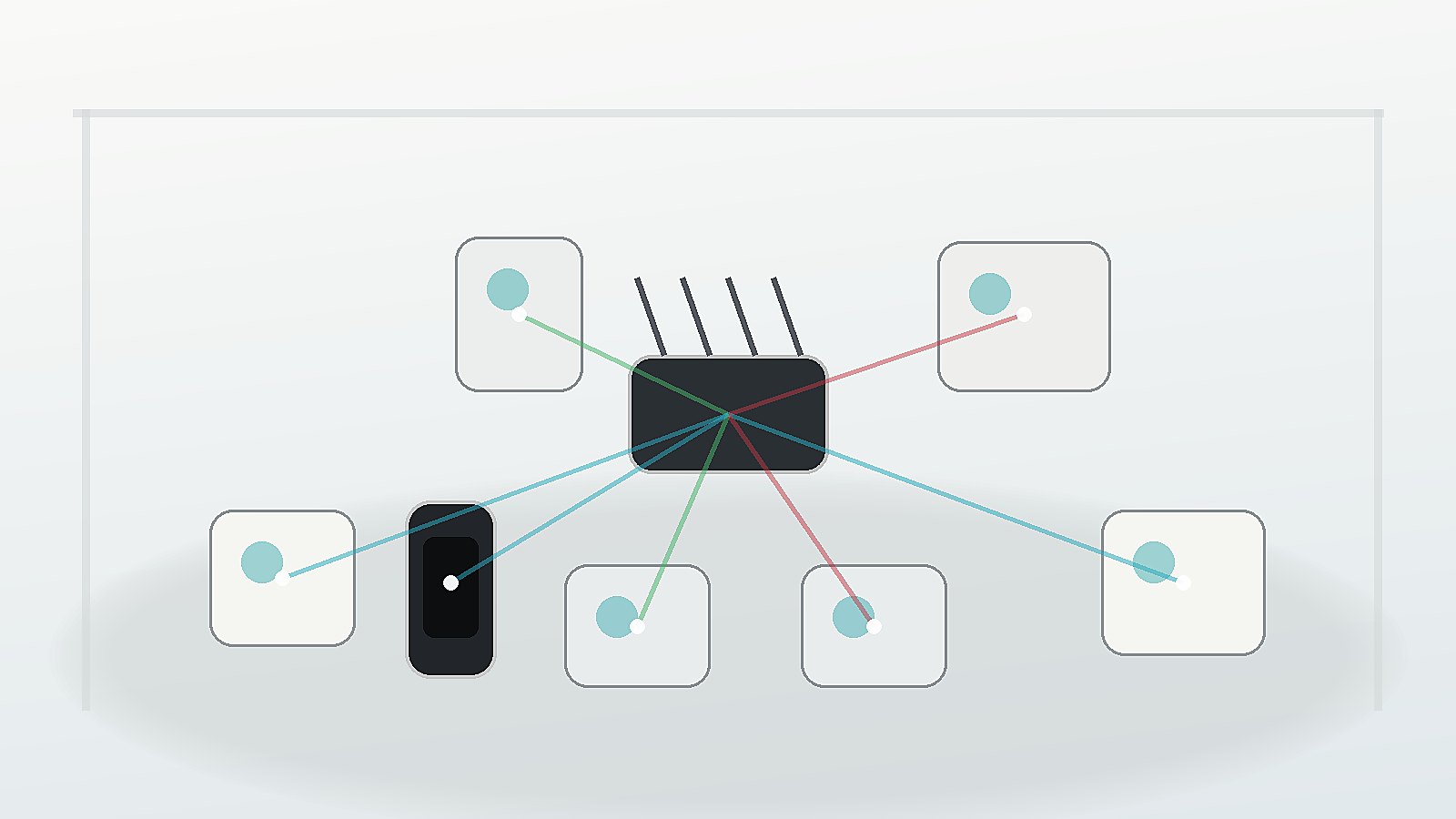
    Matter can use several network transports. Wi-Fi makes sense for higher-bandwidth devices and products that already have mains power. Thread is a low-power mesh networking technology often used for sensors, switches, and small devices. A Thread border router connects the Thread mesh to the rest of the home network.

    Buyers should understand that a Matter label does not automatically mean a device will connect directly to any router in the house. Some products need a compatible Thread border router or controller. Others use Wi-Fi. A smoother Matter experience still depends on the right home infrastructure.

    This is similar to wireless charging certification: the standard helps, but the exact product, accessory, and environment decide the experience.

    Certification Helps, but Ecosystem Updates Matter

    Matter certification gives buyers a more reliable signal than vague compatibility claims. The alliance maintains a certified products search, which can help identify whether a specific product has passed certification and under which program.

    However, a certified device is only part of the chain. Phones, hubs, speakers, routers, apps, and cloud services also need updates. A feature added in a new Matter version may take time to appear across controllers. Early adopters should expect uneven support while ecosystems roll out software changes.

    This does not mean the standard has failed. It means interoperability is a process. The more devices and controllers support the same features over time, the less buyers need to memorize brand-specific rules.

    Privacy and Local Control Remain Buying Criteria

    Smart-home devices sit in intimate spaces. They can reveal when people are home, which rooms are occupied, what routines are common, and which appliances are used. Matter includes security architecture, but buyers should still examine privacy policies, account requirements, update history, and local-control behavior.

    A device that works locally for basic commands can be more resilient when a cloud service has an outage. A device with a clear update policy is less likely to become a forgotten security liability. A device that shares less data by default is easier to trust.

    Audio devices, lighting, locks, and sensors also interact with accessibility and public-space use cases, much like Auracast broadcast audio. The best consumer electronics standards make technology less fussy without hiding important choices from the user.

    A Practical Buying Checklist

    • Check that the exact model is Matter certified, not merely described as compatible.
    • Confirm whether it uses Wi-Fi, Ethernet, or Thread, and whether you need a border router.
    • Look for support in the ecosystem you actually use, including the controller version.
    • Review privacy settings, account requirements, local-control behavior, and update history.
    • Assume advanced features may vary across apps even when basic control works through Matter.

    For most households, Matter 1.6 is not a reason to replace working devices immediately. It is a reason to expect the next wave of smart-home products to be easier to set up, easier to share across platforms, and less dependent on a single brand’s island.

    Sources and Further Reading

  • Qi2 25W Makes Wireless Charging Faster, but Certification Still Matters

    Qi2 25W Makes Wireless Charging Faster, but Certification Still Matters

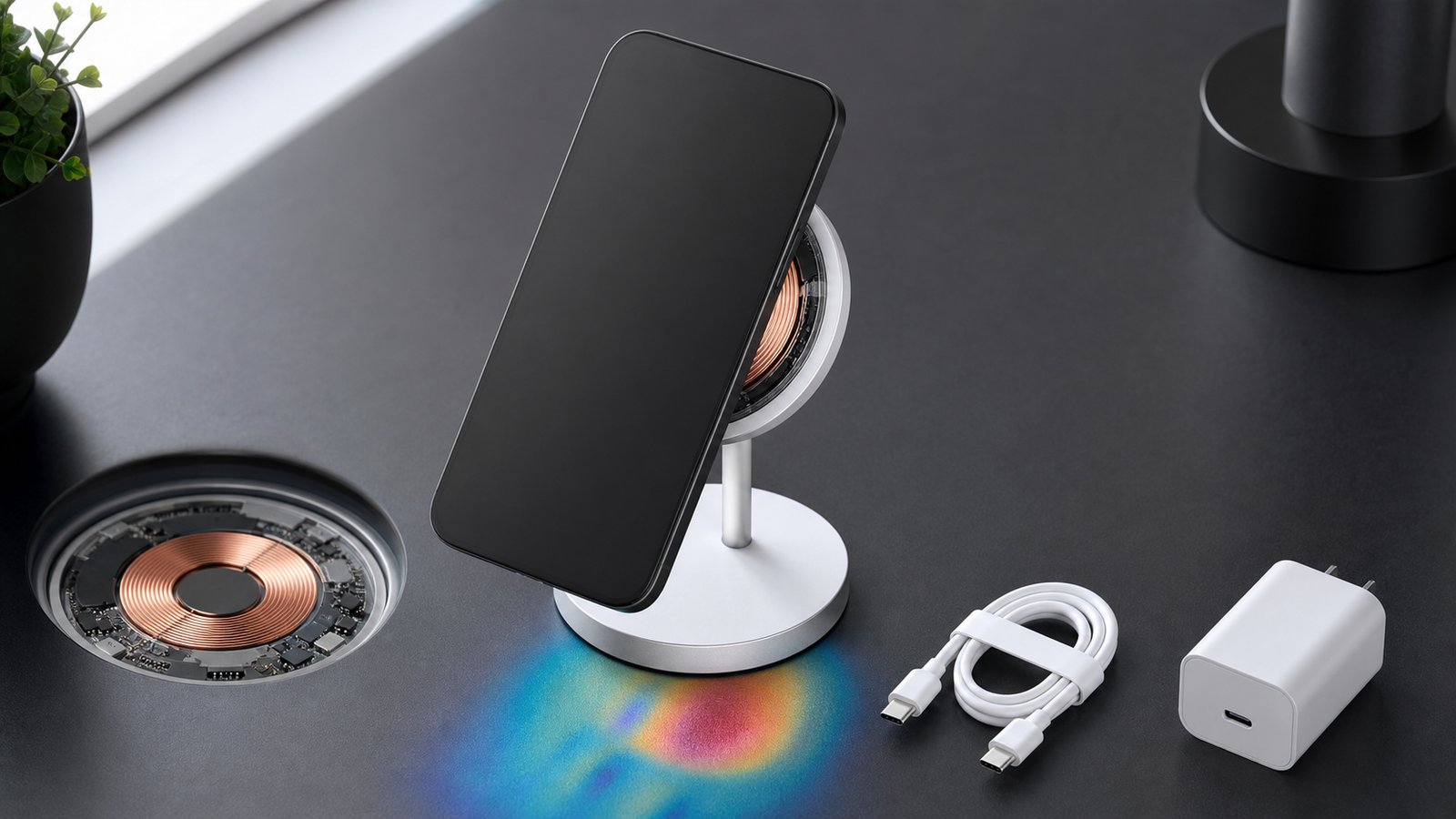
    Wireless charging has always traded a little efficiency and speed for convenience. Qi2 improves that trade by using magnets to align a phone and charging coil, reducing the guesswork of placing a device on a pad. The newer Qi2 25W brand raises the available power above the original 15-watt Qi2 level.

    For buyers, however, the number on the box is only part of the story. The phone, charger, power adapter, cable, case, temperature, and battery state all affect the rate that reaches the battery. Certification is what separates an interoperable Qi2 product from an accessory that merely uses similar magnets or vague compatibility language.

    Alignment Is the Main Upgrade

    Inductive charging transfers energy between a coil in the charger and another coil in the phone. The coupling becomes worse when those coils are offset. Energy is then lost as heat, charging can slow, and the device may repeatedly connect and disconnect.

    Qi2 introduced the Magnetic Power Profile, which uses a defined magnetic attachment system to place the coils in a consistent position. The Wireless Power Consortium’s Qi overview describes this alignment as a way to improve efficiency, speed, and usability. The practical gain is simple: the phone is less likely to sit slightly outside the charger’s effective area.

    Magnets do not eliminate every loss. Wireless transfer still creates more heat than a direct wired connection in many conditions. Alignment instead makes the wireless system more predictable, which is a meaningful improvement for bedside stands, vehicle mounts, and power banks.

    Qi2 25W Is a Standardized Power Step

    The original Qi2 profile supported 15-watt charging. According to the consortium’s specification history, Qi version 2.2 added support for power transfer up to 25 watts, power modes matched to USB-C adapters, improved power-loss accounting, and checks intended to detect foreign objects before higher-power transfer begins. The consumer-facing Qi2 25W brand is associated with the current 2.2 generation.

    Moving from 15 to 25 watts is nearly 70 percent more available power, not a promise that every battery will charge 70 percent faster. Phones reduce power as a battery fills, when temperature rises, or when battery-health controls intervene. A device must also support the higher profile. A 25-watt charger cannot force an older 15-watt receiver to accept more power.

    The wall adapter matters too. If it cannot provide the voltage and current requested by the charging system, the pad has no extra energy to deliver. This mirrors the lesson from USB-C common-charger rules: a shared connector or standard does not make every power supply identical.

    Certification Is More Important Than Magnetic Appearance

    A circular magnet arrangement can make an accessory attach neatly without proving that its charging electronics passed Qi2 tests. The WPC says certified products undergo independent laboratory testing for safety, interoperability, and energy efficiency. Its certification guidance warns that phrases such as “Qi compatible” or “works with Qi” are not the same as Qi Certified.

    Consumers can search the consortium’s product database for a Qi ID. That check is especially useful for unfamiliar brands and marketplace listings that reuse certification language loosely. It also helps identify the exact version and power profile rather than assuming every product labeled Qi has magnetic alignment or 25-watt support.

    Certification does not rank build quality, hinge durability, cable design, noise, or long-term reliability. It establishes a common technical baseline. Product reviews still need to examine the complete accessory without claiming that one certification answers every buying question.

    Qi2 Ready Is a Combination, Not a Hidden Synonym

    The consortium also defines Qi2 Ready products. Its logo guidelines explain that a receiver may depend on an approved companion accessory, such as a specific magnetic case, to form a compliant Qi2 combination. Packaging is supposed to identify that dependency.

    That distinction matters when a phone does not contain the complete magnetic arrangement by itself. A matching case can supply the mechanical alignment, but buyers should verify that the phone-and-accessory combination is approved rather than assuming any magnetic ring case produces the certified result.

    Cases, Stands, and Heat Still Shape Real Performance

    A thick or poorly positioned case increases the distance between coils and can interfere with alignment. Metal plates designed for unrelated car mounts may trigger foreign-object protection or create unwanted heating. Camera bumps can also prevent a phone from sitting flat on some pads, which is one reason newer specification revisions include mechanical considerations around nearby obstructions.

    Stand geometry matters for comfort and cooling. A charger that holds a phone upright may be useful for video calls or notifications but could run warmer if airflow is restricted. A power bank adds its own conversion losses and battery heat. None of these factors can be inferred from the maximum wattage alone.

    Battery temperature is particularly important because the phone controls the final charging rate. A well-designed system will slow down instead of maintaining a headline number under unsafe conditions. That behavior may look disappointing in a short speed comparison, but thermal control is part of responsible charging.

    A Practical Buyer Checklist

    • Confirm that both the phone and charger support Qi2 25W if higher power is the goal.
    • Look for the appropriate certification mark and verify the model in the WPC database.
    • Check whether the phone is Qi2 Ready and requires a specific approved case or accessory.
    • Use a power adapter and cable that meet the charger’s stated input requirements.
    • Compare heat, stability, stand design, cable length, and warranty as well as peak wattage.

    This is specification-based guidance, not a hands-on test of a particular product. A real review should measure power over time, temperature, case compatibility, alignment, and behavior with several certified devices. The same evidence-first approach helps when assessing Auracast audio products or interpreting smartphone repairability labels.

    What to Watch Next

    Watch the certified-product database, not only launch announcements. A healthy ecosystem needs phones, stands, car mounts, power banks, and adapters that work together across manufacturers. More Android receivers with built-in magnetic alignment would make the standard less dependent on particular cases.

    Also watch sustained charging curves rather than zero-to-50-percent marketing tests. Qi2 25W makes magnetic wireless charging more capable, but the best accessory will be the one that delivers stable, safe power in the buyer’s actual setup.

    Sources and Further Reading

  • Auracast Could Turn Bluetooth Audio Into a Public Broadcast

    Auracast Could Turn Bluetooth Audio Into a Public Broadcast

    Bluetooth has usually meant a private connection between two devices: a phone and headphones, a laptop and a speaker, or a television and a hearing aid. Auracast broadcast audio adds a different model. One transmitter can make an audio stream available to many nearby compatible receivers, more like tuning into a local radio channel than pairing every listener individually.

    That change could make wireless audio part of public infrastructure. Airports, gyms, museums, conference centers, classrooms, houses of worship, and transit hubs can offer sound from silent screens, public announcements, tours, or language channels. The important question is no longer only whether the earbuds sound good. The venue, transmitter, discovery method, receiver compatibility, and accessibility plan all have to work together.

    Auracast Builds on Bluetooth LE Audio

    Auracast is the public-facing name for Bluetooth broadcast audio, a capability in the Bluetooth LE Audio architecture. Instead of creating a separate point-to-point connection for every listener, a broadcast source transmits one or more audio streams that compatible devices can receive.

    The Bluetooth Special Interest Group describes three roles. A transmitter provides the broadcast. A receiver plays it through headphones, earbuds, speakers, or hearing devices. An assistant, often a phone or another controller, helps the listener discover and select a broadcast. A product can support more than one role, but an Auracast label on one device does not guarantee that every device around it supports every function.

    This is a meaningful extension of the device ecosystem discussed in our overview of consumer electronics after the smartphone. The phone can become a discovery and control surface while the audio goes directly from the venue transmitter to the listening device.

    One Broadcast Can Serve Many Listeners

    A venue that wants to deliver sound to a crowd normally uses loudspeakers, a dedicated assistive-listening system, or individual internet streams. Each approach has tradeoffs. Loudspeakers disturb everyone and can be difficult to understand in noisy or reverberant rooms. Dedicated receivers require distribution and maintenance. Internet streaming adds network dependency and can introduce delay.

    Auracast can transmit locally to many receivers without pairing each person to the source. The broadcast can be open for easy access or protected when a venue needs controlled entry. A transmitter may also offer several streams, such as different languages or audio descriptions, if the installation and receivers support them.

    That does not mean capacity is literally unlimited in every environment. Coverage, radio interference, receiver behavior, stream configuration, and audio quality still shape the experience. The advantage is architectural: adding another listener does not require another private Bluetooth session with the transmitter.

    Silent Screens Become a Practical Use Case

    Public televisions in gyms, waiting rooms, airports, and restaurants often run without audible sound. A local broadcast can let visitors listen through their own compatible device. The venue avoids filling the room with several competing soundtracks, and the listener chooses what to hear.

    The same model can support guided tours. A museum can provide a live guide or a prerecorded channel without issuing a receiver to every visitor. A conference can offer interpretation streams. An airport gate can provide a clearer version of announcements to people who have difficulty hearing a distant loudspeaker.

    These uses depend on simple discovery. Visitors will not join a broadcast they cannot find. Bluetooth SIG material describes assistants, public lists, and QR-based approaches as ways to select a source. Venues still need visible, accessible instructions, staff training, and a fallback for people whose devices are incompatible or out of power.

    Accessibility Is a Major Opportunity, Not an Automatic Result

    Broadcast audio can send sound directly to compatible hearing devices and headphones, reducing the distance and room acoustics between the source and listener. That can make speech easier to follow and may give people more control over volume and listening equipment.

    However, installing a transmitter does not by itself create an accessible service. A venue must consider receiver availability, compatibility, signage, discovery, staff support, maintenance, and local legal requirements. It may need loaner devices or another assistive-listening option during the transition. People should not be required to own a new phone or hearing aid to receive essential information.

    Health-related wearables already show why device claims need careful interpretation. Our guide to wearables and health data explains the gap between a useful capability and a complete healthcare or accessibility solution.

    Receiver Compatibility Is the Near-Term Friction

    Bluetooth marketing names can be confusing. A device may support Bluetooth Low Energy without supporting LE Audio, and it may support some LE Audio features without providing the Auracast experience a buyer expects. Compatibility can also depend on software, firmware, regional variants, and whether a phone exposes broadcast discovery.

    Before buying equipment for a specific use, consumers should look for explicit transmitter, receiver, or assistant support rather than relying on a generic Bluetooth version number. Venues should test a representative range of hearing devices, earbuds, phones, and loaner receivers. A demonstration with one matching product family is not an interoperability program.

    The transition resembles repairability labels in one respect: a clear consumer signal is useful only when it maps to measurable product behavior. The EU smartphone label rules show how much detail can sit behind a simple badge.

    Audio Quality, Range, and Delay Depend on Deployment

    LE Audio uses the LC3 codec, which was designed for efficient audio delivery at a range of bitrates. The final experience still depends on how a broadcaster configures the stream, the available radio environment, the receiver, and the content. A speech announcement and a music performance may need different choices.

    Coverage planning matters in large or irregular venues. Walls, people, competing radio traffic, and transmitter placement can create weak areas. A site may need more than one transmitter or carefully planned zones. Too much overlapping coverage can also complicate discovery and interference management.

    Delay must be checked end to end when listeners can also see a person speaking or watch a screen. The radio link is only one part of latency; capture, mixing, encoding, display processing, and receiver buffering add time. A venue should test lip synchronization and handoffs under realistic load.

    Privacy and Security Depend on the Broadcast Type

    An open public broadcast is meant to be found by nearby listeners, so it should not carry confidential information. Protected broadcasts can restrict access, but the venue must manage credentials and explain how authorized users join. Sensitive meetings may require controls beyond a convenient access code.

    Discovery systems also need careful design. A malicious or misleading source name could confuse users, and a QR code placed over legitimate signage could direct people to the wrong workflow. Devices should show enough source context for an informed choice, while venues should monitor their physical signs and transmitters.

    Auracast Will Complement Other Audio Systems

    Broadcast audio will not make conventional Bluetooth, loudspeakers, induction loops, or dedicated assistive systems disappear. Private links remain useful for calls and personal media. Loudspeakers remain essential for emergencies and visitors without receivers. Existing accessibility systems may serve users for years.

    The realistic path is a mixed environment. New displays, televisions, public-address systems, phones, hearing devices, and earbuds gradually add support. Venues can deploy for a defined use, measure discovery and reliability, provide a fallback, and expand after the workflow is proven.

    What Consumers and Venues Should Check

    • Confirm the exact Auracast role supported by every device.
    • Test discovery without relying on a technician’s hidden menu.
    • Measure coverage, interference, audio delay, and battery impact in the real venue.
    • Provide accessible instructions and compatible loaner receivers where needed.
    • Keep essential and emergency information available through another channel.
    • Plan firmware updates and support for transmitters as part of building operations.

    What to Watch Next

    Watch for broader receiver support across mainstream phones, earbuds, televisions, and hearing devices; clearer product labeling; and public installations that document interoperability rather than showing a single vendor demo. Also watch how venue operators integrate broadcast audio with existing assistive-listening and emergency systems.

    Auracast’s most important effect may be cultural. Bluetooth audio can become something a place provides, not only something two personal devices negotiate. Success will depend less on the novelty of the radio feature and more on whether an ordinary visitor can enter a room, find the right sound, and hear it without asking an engineer.

    Sources and Further Reading

  • Europe’s Common Charger Rules Now Cover Laptops

    Europe’s Common Charger Rules Now Cover Laptops

    USB-C ports have appeared on laptops for years, but a familiar connector has never guaranteed that any charger, cable, and computer will work together at full speed. Europe鈥檚 common-charger rules are intended to make that experience more predictable. Since April 28, 2026, the requirements also apply to covered laptops first placed on the European Union market.

    The change is broader than replacing one socket. It combines a common USB-C receptacle, harmonized fast-charging technology, clearer information about power requirements, and the option to buy a device without another charger. Buyers still need to match wattage and cable capability, and not every USB-C accessory becomes equivalent overnight.

    Laptops Joined the Rules in April 2026

    The EU Common Charger Directive entered into force in 2022. Its requirements began applying in December 2024 to categories including mobile phones, tablets, digital cameras, headphones, portable speakers, e-readers, keyboards, mice, earbuds, handheld game consoles, and portable navigation devices. Laptops received a longer transition period and joined on April 28, 2026.

    The rules apply to covered equipment capable of wired charging when it is first placed on the EU market on or after the relevant date. They do not require consumers to discard existing laptops or chargers, and they do not make older products illegal to keep using. Inventory and market-placement details can be more specific than the date printed on a retail receipt, so businesses handle compliance rather than individual buyers interpreting product law.

    The laptop change complements the EU repairability and energy-label rules for smartphones and tablets. Both policies try to make long-lived hardware easier to compare and support, but charging interoperability and repairability remain separate requirements.

    USB-C Describes the Connector, Not the Power

    USB-C is the small reversible receptacle on the device. It can carry power and data, but the connector shape alone does not reveal how much power a port accepts, whether it supports video, or which data speed it provides. A cable with USB-C plugs at both ends may be designed for basic charging, high-power charging, fast data, video, or only some of those functions.

    The common-charger framework therefore also addresses charging technology. For covered devices that need more than basic power, USB Power Delivery provides a standardized negotiation between the charger and the device. They agree on a supported voltage and current before higher power flows. That negotiation lets one charger serve different products without sending laptop-level power into a device that did not request it.

    A compliant laptop may still charge slowly from a low-power phone adapter because the charger cannot supply what the computer requests. It may also use more energy during a demanding task than the adapter provides, causing the battery to charge very slowly or continue discharging. The common port improves compatibility; it does not erase differences in device power needs.

    Cables Can Be the Hidden Bottleneck

    High-power charging requires a cable designed and identified for the required current and voltage. Modern USB Power Delivery specifications can support up to 240 watts under the appropriate Extended Power Range profile, but the laptop, charger, and cable all have to support the negotiated level.

    A thin or older cable may safely limit the session below the charger鈥檚 headline rating. That is a feature, not a failure, when the system correctly detects capability. Problems arise when cables are poorly made, inaccurately described, or lack clear markings. Buyers should use reputable cables with an explicit power rating rather than assuming every USB-C cable can replace a laptop lead.

    Fast Charging Should Not Depend on One Brand

    The European Commission says the rules are designed to prevent manufacturers from unjustifiably restricting charging speed when a compatible charger is used. Covered equipment that supports harmonized fast charging should use the common USB Power Delivery approach so that the basic charging relationship is not locked to a proprietary adapter.

    Manufacturers can still optimize battery temperature, charging curves, and power limits for their hardware. A computer may reduce charging speed when the battery is hot, nearly full, or running a heavy workload. Two compliant laptops can therefore behave differently with the same charger for legitimate technical reasons.

    The guidance also does not forbid every additional connector. A covered device may include another charging receptacle as long as it also includes the required USB-C solution. The practical test for a buyer is whether the USB-C port can provide the promised everyday charging function without a proprietary accessory.

    The Box Does Not Have to Include Another Charger

    Consumers must be able to purchase covered equipment without a charging device. This is intended to let people reuse a compatible charger and reduce the number of unused adapters. Packaging information uses a pictogram to indicate whether a charger is included, while a label communicates the minimum and maximum power required for efficient charging and the supported charging protocol.

    Unbundling is useful only when the buyer can interpret the information. A person replacing a 65-watt laptop should check whether an existing charger can supply the new computer鈥檚 stated requirement and whether a multi-port adapter divides its total output when several devices are connected.

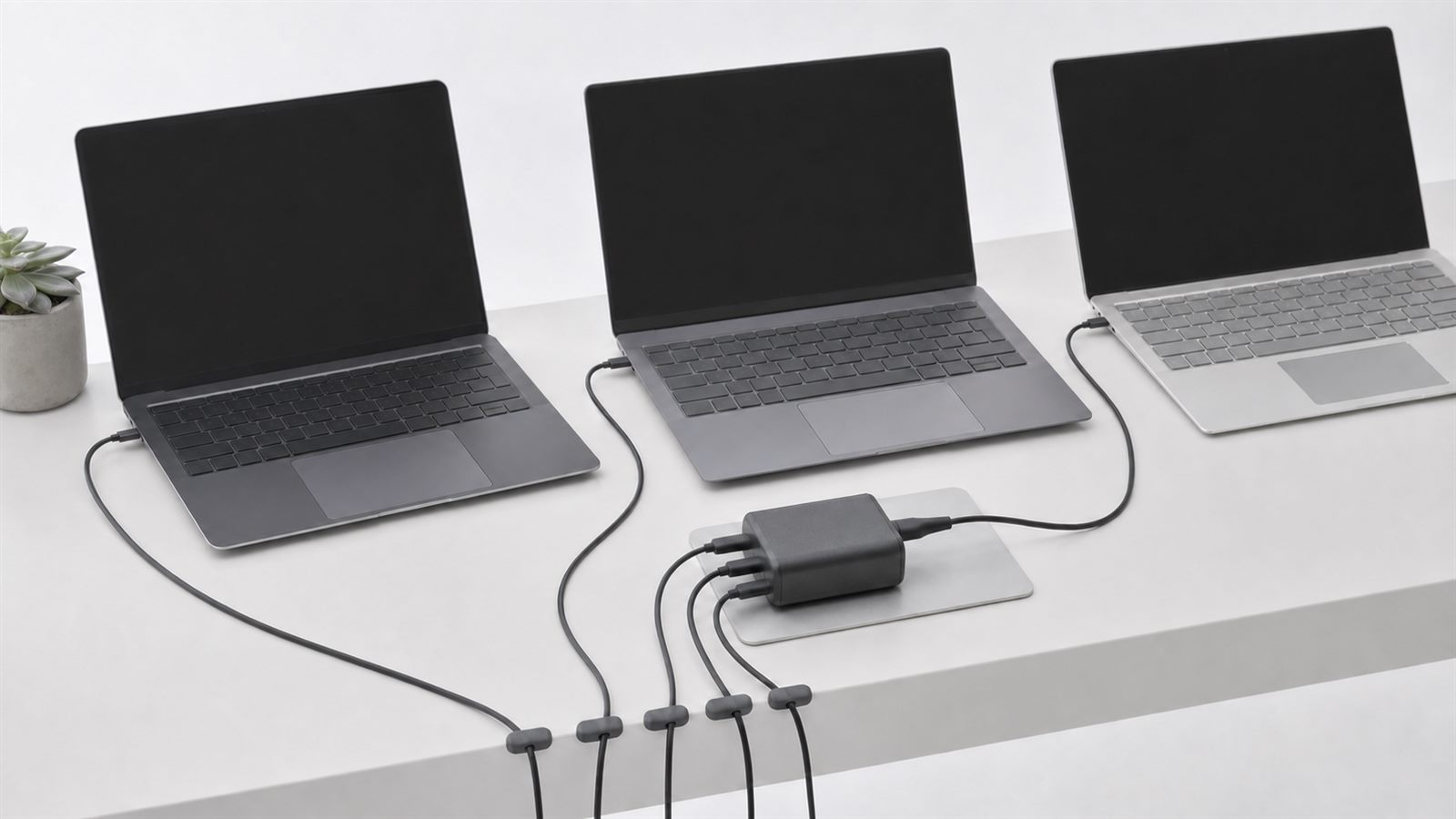
    A 100-watt charger with four ports does not necessarily provide 100 watts to each port simultaneously. Its controller may redistribute power whenever another device is connected, briefly interrupting or reducing laptop charging. That behavior can be normal, but manufacturers should describe the allocation clearly.

    One Charger Can Reduce Clutter, Not Eliminate It

    The policy goal is fewer unnecessary chargers and less electronic waste. The European Commission estimated that discarded and unused chargers accounted for about 11,000 tonnes of waste annually and that avoiding unnecessary charger purchases could save consumers about 250 million euros per year. Those are policy estimates, not a promise about any individual household.

    People may still need more than one adapter. A traveler might use a compact charger, while a workstation uses a higher-power unit with multiple displays and peripherals. Households also replace chargers that fail. The benefit is that these purchases can serve several compatible products rather than being tied to a single model.

    As our overview of consumer electronics beyond the smartphone notes, people increasingly own a collection of wearables, spatial devices, computers, and accessories. A common power layer makes that collection easier to maintain even when the products themselves remain very different.

    Some Devices Remain Outside the Current Scope

    The 2026 European Commission review examined whether to extend the rules to categories such as AR and VR headsets, drones, game controllers, wearables, electric toothbrushes, and remote-controlled toys. It found that technical and safety conditions differ. Wet environments create concerns for toothbrushes, while very small wearables often charge through a pad or case rather than a port on the device.

    The report also noted that a USB-C receptacle does not guarantee perfect interoperability if products do not fully implement the specifications. This is why standards compliance, accurate labeling, and enforcement matter alongside the visible port.

    Wearables illustrate the design trade-off discussed in our article on wearable technology and health data. A small sealed device may reasonably use a charging puck, while the power input on that puck can still move toward a common connector.

    What Buyers Should Check

    Read the laptop鈥檚 minimum and maximum charging power, then check the output available from the specific charger port. Match the cable rating as well. If the computer uses a dock, include the power consumed by attached devices and remember that the dock itself may reserve some capacity.

    What to Watch Next

    Watch enforcement of laptop labeling, real cross-brand charging behavior, and the Commission鈥檚 decisions on additional product categories. External power-supply ecodesign rules scheduled for later years are intended to complement the device-side requirements and push chargers themselves toward greater interoperability.

    The most useful outcome will be boring in the best way: a buyer reads a clear power label, connects a properly rated cable, and gets predictable charging without researching a proprietary ecosystem. The shared USB-C shape is only the starting point; transparent power information is what makes the common charger genuinely common.

    Sources and Further Reading

  • Europe’s Smartphone Repairability Rules Are Changing What Buyers Can Compare

    Europe’s Smartphone Repairability Rules Are Changing What Buyers Can Compare

    A phone can have an excellent camera and fast processor yet become a poor purchase if its battery fades, parts are unavailable, or software support ends early. New European Union rules make some of those long-term qualities easier to compare. Smartphones and slate tablets newly placed on the EU market have faced ecodesign and energy-label requirements since June 20, 2025.

    The change matters beyond a sticker on a box. It turns durability, battery endurance, spare parts, repair information, and software support into product-design and disclosure requirements. Buyers still need to read the details, but the useful life of a device is becoming more visible at the point of sale.

    What the New Label Shows

    The EU energy label for smartphones and tablets includes energy efficiency, battery endurance, resistance to repeated drops, ingress protection, battery cycle endurance, and a repairability class. The repairability scale runs from A, the most repairable, to E, the least repairable. Product information is also registered in the European Product Registry for Energy Labelling, known as EPREL.

    The repairability class is not based on one judgment about whether a device looks modular. The European Commission’s Joint Research Centre says the method considers disassembly depth, fasteners, required tools, spare-part availability, software updates, and repair information. Priority components are assessed and combined into an overall class.

    This gives shoppers a common starting point. A reviewer can still explain why one repair is easier than another, but the label makes it harder to ignore serviceability completely. That supports the broader evaluation method in our guide to separating technology utility from hype.

    Minimum Durability Requirements Sit Behind the Label

    The ecodesign regulation establishes minimum requirements for devices covered by the rules. The Commission says batteries must retain at least 80 percent of their initial capacity after at least 800 charging cycles. Manufacturers must meet defined resistance requirements for drops, scratches, dust, and water. The exact test and class information is available through the label and product documentation.

    Spare parts are another important part of the framework. The Commission states that key parts must be supplied within five to ten working days and remain available for at least seven years after the model is no longer sold in the EU. Professional repairers must also receive fair access to software or firmware needed for repair.

    Operating-system support is treated as part of longevity. The Commission describes a requirement for updates to remain available for at least five years from the date the last unit of a model is placed on the market. That is not the same as five years from an individual buyer’s purchase date, so shoppers should still check the model’s release and support policy.

    What Buyers Should Compare in Practice

    Start with the repairability class, but do not stop there. Open the product’s EPREL entry and look at the battery, drop, and ingress information. Check whether the battery can be replaced by a consumer or only by a professional repairer. Review the public prices of common parts when available, because a repair can be technically possible and still uneconomic.

    Next, compare the manufacturer’s update commitment. Security fixes, operating-system upgrades, and app compatibility affect how long a connected device remains useful. This is especially important for phones used as account authenticators, payment devices, health-data hubs, or controllers for the home. Our smart home security checklist explains why unsupported control devices can create risks beyond the gadget itself.

    Also check the warranty and local repair network. EU rules can improve part and information availability without guaranteeing that every repair shop has the training, equipment, or capacity to service a model quickly. Turnaround time, diagnostic fees, data handling, and the availability of loan devices can matter as much as the physical repair score.

    Repairability Is Not the Same as Overall Quality

    A high repairability class does not mean a phone has the best camera, modem, display, accessibility features, or software. It does not guarantee that the device will never fail. It means that defined repair-related factors compare favorably under the EU method. A durable sealed device and a highly repairable device can also make different design tradeoffs.

    Energy efficiency deserves similar care. A label can help compare products under standardized conditions, but real battery life varies with signal strength, display brightness, background services, temperature, and workload. The long-term health patterns discussed in our article on wearables and health data also show why software, privacy, and service continuity must be evaluated alongside hardware.

    The rules include exclusions. The Commission notes that they do not cover products with a rollable flexible main display, smartphones designed for high-security communications, or tablet computers that fall outside the defined slate-tablet category. Shoppers should confirm whether a device is actually within scope rather than assuming every portable screen uses the same label.

    How the Rules Can Influence Product Design

    When a market as large as the EU requires standardized disclosure, manufacturers have a reason to consider serviceability earlier in development. Fastener choices, adhesive, component access, diagnostic software, documentation, and parts logistics all affect the final result. A company cannot improve repairability at the last minute by changing marketing copy.

    The effects may reach products sold elsewhere. Manufacturers often prefer a shared global design rather than separate internal layouts for every region. The same phone may therefore gain longer part availability or a more replaceable component even where the EU label is not displayed. Policies, prices, warranties, and software commitments can still differ by country, so the spillover should not be assumed.

    Longer device life also changes the meaning of progress after the smartphone. As our overview of the next consumer-electronics interfaces argues, wearables and ambient devices will depend on ecosystems of connected hardware. Repair and support policies become more valuable as the number of dependent devices grows.

    What Reviewers Need to Do Differently

    A credible phone review should now record the model’s repairability and energy-label data, not merely repeat launch specifications. It should state the region tested, because configurations can vary. If the reviewer did not open or repair the device, the article should distinguish label-based analysis from hands-on service experience.

    Reviewers should also revisit products after updates. A five-year commitment is only valuable if releases arrive in a timely, stable form. Long-term reporting can track battery health, repair prices, part delays, and whether promised updates continue. Those measurements are more useful than treating every phone as a disposable one-week test.

    What to Watch Next

    Watch how consistently labels appear in online stores, whether EPREL entries remain complete, and how national authorities enforce inaccurate claims. Compare actual repair outcomes with the standardized classes. Pay attention to whether manufacturers make batteries and ports easier to replace without sacrificing water resistance or structural reliability.

    The EU rules do not end the debate over repair rights, ownership, or electronic waste. They do make longevity a more concrete product attribute. For buyers, the practical gain is simple: the next smartphone comparison can include not only what the device does on day one, but how realistically it can remain useful years later.

    Sources and Further Reading

  • Technology Reviews: How to Evaluate Hype vs Utility

    Technology Reviews: How to Evaluate Hype vs Utility

    Updated July 12, 2026.

    A useful technology review does more than repeat specifications or declare a product exciting. It explains what was evaluated, how the evidence was gathered, which tradeoffs matter, and who is likely to benefit. That discipline is especially important when a site may earn advertising or affiliate revenue, because readers need to understand both the product and the reviewer’s commercial relationship.

    The goal is not to remove judgment. Reviews are valuable because a knowledgeable writer interprets evidence. The goal is to make that judgment traceable, so a reader can separate hands-on findings, specification-based analysis, company claims, and personal preference.

    Start by Defining the Product’s Real Job

    Every review needs a clear use case. A laptop for frequent travel should be judged differently from a desktop replacement. A home robot should be evaluated on reliable tasks, setup burden, safety, and support rather than how futuristic it looks. A wearable may collect many measurements, but the useful question is whether those measurements are accurate enough and understandable enough for its intended purpose.

    Define the audience before creating a score. List the few tasks that matter most, the environmental constraints, and the likely alternatives. This prevents a feature-rich product from winning simply because it has more boxes on a specification sheet.

    Our coverage of spatial computing offers a good example: display quality matters, but comfort, content, battery life, social acceptability, and input reliability can decide whether the device fits daily life.

    Label Hands-On Testing Honestly

    A reviewer should state whether the product was physically tested, observed in a controlled demonstration, evaluated from official specifications, or analyzed using third-party measurements. Those are all legitimate forms of coverage, but they support different conclusions.

    Hands-on testing should include the unit’s configuration, software version, accessories, region, test period, and any conditions that materially affect results. If a company supplied the unit, chose the demonstration, or required a short embargoed session, disclose that context. Do not generalize from a few minutes of use to long-term reliability.

    Specification-based analysis should use precise language such as “the manufacturer states” or “the published specification lists.” It should not claim comfort, durability, speed, or battery life that the reviewer did not observe. This distinction protects readers and makes later corrections easier.

    Build Repeatable Tests Around Decisions

    A good test connects to a buying decision. Battery testing should describe workload, brightness, network conditions, background activity, and measurement method. Performance tests should include representative tasks, not only one synthetic benchmark. Cameras should be compared in consistent scenes, while security products should be examined for update policy and failure modes as well as setup convenience.

    Record results before writing the conclusion. Keep raw measurements when practical and repeat tests that vary unexpectedly. Compare against at least one relevant alternative or baseline. A number without context can sound scientific while telling the reader very little.

    Some products need time. Battery health, software stability, repair service, and update delivery cannot be judged in a launch-week review. A responsible publication can publish an initial assessment and clearly identify what still needs long-term evaluation.

    Include Support, Security, and Repairability

    Modern gadgets are services as much as objects. Account systems, cloud access, mobile apps, subscriptions, replacement parts, and software updates can determine whether hardware remains useful. A review should state the promised support period, required accounts, data collection, offline behavior, and what happens if the vendor changes or ends a service.

    Repairability is becoming easier to compare in Europe. Our article on EU smartphone repairability rules explains the new label, battery-cycle requirements, parts availability, and software-support information. Even when a product is outside that framework, reviewers can examine battery replacement, fasteners, spare parts, documentation, warranty terms, and local service options.

    For connected home products, use the questions in our smart home security checklist: update duration, account protection, data handling, local control, and safe end-of-life behavior.

    Calculate the Full Cost of Ownership

    The retail price is only the beginning. Add required accessories, subscriptions, storage, replacement consumables, repair costs, and energy use when they are material. Check whether advertised features require a higher-priced plan or another device. Note regional price and tax differences rather than presenting one market’s price as universal.

    Longevity changes value. A cheaper device that loses updates quickly may cost more per useful year than a better-supported alternative. A premium product may still be poor value if its advantages do not matter to the intended user. The review should explain the tradeoff rather than converting it into a universal winner.

    Disclose Commercial Relationships Near the Claim

    If a publication receives a review unit, travel, sponsorship, or affiliate commission, the relationship should be clear and easy to notice. A disclosure hidden on a policy page is not enough for a reader making a decision from a specific article. The US Federal Trade Commission’s endorsement guidance emphasizes clear and conspicuous disclosure of material connections.

    An affiliate relationship does not automatically make a review unreliable, and the absence of an affiliate link does not guarantee independence. The meaningful safeguards are transparent disclosure, a documented test method, freedom to publish negative findings, and editorial selection that is not limited to the products offering the highest commission.

    Frontier Technology Portal does not currently insert affiliate links before approved program links exist. When affiliate links are introduced, the relevant article should disclose the relationship before or beside those links.

    Do Not Import Fake Consensus

    Star ratings and customer comments can reveal recurring problems, but they are not controlled test data. The FTC’s Consumer Reviews and Testimonials Rule, effective since October 2024, addresses fake or false reviews, purchased sentiment, undisclosed insider reviews, company-controlled review sites presented as independent, review suppression, and fake social indicators.

    A technology reviewer should not treat a burst of anonymous praise as proof. Look for specific descriptions, verified ownership where available, patterns across independent platforms, dates, software versions, and whether comments refer to the correct model. The FTC also cautions consumers that visual inspection alone cannot reliably separate every real review from a fake one.

    Use a Transparent Evaluation Framework

    A practical review can organize evidence into six areas: core task performance, reliability, usability and accessibility, privacy and security, support and repair, and total cost. The relative weight should change with the product. Security may deserve more weight for a router than for a passive accessory; repairability may matter more for an expensive daily device than for a low-cost cable.

    Scores should follow the written evidence, not replace it. Explain why a weakness matters and who might accept it. Avoid decimal precision that suggests a level of measurement the test did not support. Readers benefit more from a clear verdict for several user types than from a universal 8.7 out of 10.

    A Reader’s Quick Checklist

    Before trusting a technology review, check whether the writer used the product, whether the test conditions are described, and whether company claims are labeled. Look for comparisons with relevant alternatives, discussion of support and recurring costs, and a visible disclosure of review units or affiliate relationships.

    Then ask what is missing. Was long-term reliability tested? Did the review examine privacy settings? Does the verdict depend on a service that may change? Are important regional differences ignored? A strong review makes those uncertainties visible instead of filling them with confident language.

    What to Watch Next

    AI-generated summaries and review content make traceability more important. Publications should document sources, preserve test records, and distinguish human observation from generated assistance. Regulators and platforms are also paying closer attention to fake reviews and undisclosed endorsements.

    The best defense against hype is not cynicism. It is a repeatable method. Define the job, test the decisions that matter, show the limits of the evidence, disclose incentives, and update the review when the product changes. That gives readers something more valuable than excitement: a reasoned basis for choosing.

    Sources and Further Reading

  • Spatial Computing: What It Needs to Become Mainstream

    Spatial Computing: What It Needs to Become Mainstream

    Spatial computing blends digital content with the physical environment. Instead of looking only at a flat screen, users can place apps, objects, and media into three-dimensional space.

    Why It Matters

    The idea is powerful for design, training, collaboration, entertainment, education, remote support, and productivity. But mainstream adoption requires more than impressive demos.

    Where It Shows Up

    Devices need to be comfortable, affordable, durable, and easy to control. Apps need to solve real problems. Developers need stable tools. Users need confidence that cameras, sensors, and personal spaces are handled responsibly.

    What to Watch

    • Lighter headsets and better battery life
    • Natural input through hands, eyes, voice, and controllers
    • Productivity and training apps that save real time
    • Privacy signals that make bystanders comfortable

    Spatial computing may become a major interface, but it has to earn a place in daily life. Comfort and usefulness will matter more than spectacle.

    Category: Consumer Electronics. This article is part of Frontier Technology Portal’s plain-English guide to the technologies shaping the next decade.

  • Wearables and Health Data: Promise, Limits, and Privacy

    Wearables and Health Data: Promise, Limits, and Privacy

    Wearables are becoming everyday health companions. Watches, rings, earbuds, patches, and other devices can measure activity, sleep, heart rate, temperature trends, blood oxygen, stress signals, and more.

    Why It Matters

    Continuous data can help users notice patterns that occasional measurements miss. It can support fitness goals, sleep habits, early warning signs, and conversations with clinicians.

    Where It Shows Up

    The limits are just as important. Consumer wearables are not full medical systems for every use case. Accuracy varies by sensor, skin tone, motion, placement, algorithm, and context. Privacy also matters because health-related data can be sensitive.

    What to Watch

    • Clear explanations of what a device can and cannot measure
    • On-device processing that reduces unnecessary data sharing
    • Clinical validation for medical claims
    • User control over exports, deletion, and third-party access

    Wearables are useful when they support awareness and better habits. They become risky when numbers are treated as perfect truth without context.

    Category: Consumer Electronics. This article is part of Frontier Technology Portal’s plain-English guide to the technologies shaping the next decade.

  • Consumer Electronics After the Smartphone: Spatial, Wearable, and Ambient

    Consumer Electronics After the Smartphone: Spatial, Wearable, and Ambient

    The smartphone remains the center of consumer technology, but the next interface cycle is forming around wearables, spatial computing, ambient AI, health sensors, smart displays, and connected home devices.

    The common theme is context. Devices are becoming more aware of location, motion, voice, health signals, and user intent. The best products will make technology feel less like a screen and more like a useful layer around daily life.

    Wearables Are Becoming Health Platforms

    Smartwatches, rings, earbuds, and other wearables can measure activity, heart rate, sleep, temperature trends, and environmental signals. They are not replacements for doctors, but they can help users notice patterns and build healthier habits.

    Spatial Computing Changes the Display

    Spatial computing places digital objects into a three-dimensional interface. The idea is not only entertainment. It can support design, training, collaboration, remote assistance, education, and productivity. The challenge is comfort, price, battery life, content, and social acceptance.

    Ambient AI and Smart Homes

    Smart home devices become more useful when they understand routines and reduce friction. Ambient AI could help coordinate lighting, security, energy use, reminders, and media. However, privacy, reliability, and interoperability remain major concerns.

    What to Watch

    • Battery improvements for small devices.
    • On-device AI for privacy and speed.
    • Health sensor accuracy and regulation.
    • Open smart home standards.
    • New displays and input methods.

    The post-smartphone era will not arrive all at once. More likely, the phone will remain important while new devices take over specific moments: exercise, navigation, work, entertainment, home control, and health awareness.